Configure a Compatibility Date on a Document Type
Introduction
Goal
Configure a compatibility date on a document type to prevent incompatble document revisions from being restored.
Background
Implementation projects can change their content model and thereby introduce backwards-incompatible changes, for example in a site implementation. Without being able to block document revisions from before such change, it is possible that an editor can restore a document to a state that breaks the latest introduced changes.
Configuration
To configure a compatibility date on a document type, follow the steps below:
-
In the Console, navigate to the nodetype section of document type:
/hippo:namespaces/[namespace]/[document_type]/hipposysedit:nodetype/hipposysedit:nodetype
Replace [namespace] and [document_type] with the appropriate values for your project. For example:
/hippo:namespaces/myproject/contentdocument/hipposysedit:nodetype/hipposysedit:nodetype
-
Add a Date property hipposysedit:revisionscompatiblefrom with an appropriate value. For example:
/hippo:namespaces/myproject/contentdocument/hipposysedit:nodetype/hipposysedit:nodetype:
  hipposysedit:revisionscompatiblefrom: 2026-03-31T00:00:00.000Z
- Write changes to the repository.
In a local development environment, the change normally is auto-exported to an existing yaml file, to be packaged in and distributed with a certain release of the project.
Result
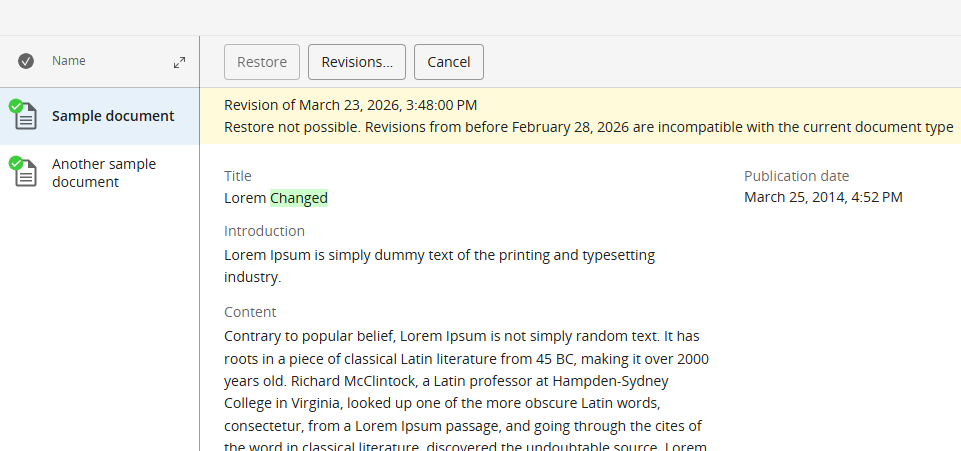
When having selected a certain document revision from the Document | Show revision history... dialog, and that revision dates from before the configured date, the Restore button will be greyed out and an informational message is given: